Firewall🔥🧱 management
Configuring Firewalls🔥🧱 rules with UFW(Uncomplicated FireWall)
- Since you're gonna be setting up all these cool locally hosted tools, you gotta make sure that you secure your network.
- Make sure that only devices you approve are able to connect to your machines IP address and the services hosted there on.
- UFW allows you to change firewall configurations and rules painlessly using the terminal Command Line, TUI(Terminal User Interface) or Graphical menus.
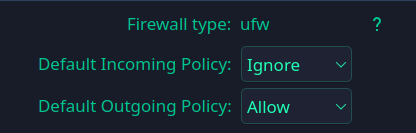
- UFW rules are as basic as block incoming and allow outgoing, but for your particular setup you will need to get all the devices on your network and their IP address, then allow who is able to use your service hosted on your IP or deny them access.
- Here is a [cheatsheet](https://linuxize.com/cheatsheet/ufw/
- Just log into your router and get a list of all devices connected to your network
Another way to get IPv4 hosts on a local network is by using arp-scan, which is a bit more complicated.
- To get devices on your network, if you are using linux, you can use a tool called arp-scan to scan devices using the Address Resolution Protocol.
- Address resolution protocol (ARP) is a protocol or procedure that connects an ever-changing Internet Protocol (IP) address to a fixed physical machine address, also known as a media access control (MAC) address, in a local-area network (LAN).
- So install the package for arp-scan and use it
arp-scan -I <interface=eth0> --localnet
Electric Meatball's Digital Garden Home
Firewalls🔥🧱
Linux Terminal Cheat Sheet
The Magical art of subnetting
The OSI Model
The TCP IP Model
Terminology📖